Monitor
The bots watch, triage, investigate and report. You get alerts and the portal.
Contact us
Early access A managed virtual SOC from FORTISYM
The FORTISYM Bot SOC watches your Microsoft 365 activity around the clock. Bots triage and investigate at machine speed, 3am included, and propose what to do. Nothing changes until a person says yes.
03:00 UK
Who handles it at 3am? The bots. They do the sorting, checking and writing up overnight, so nobody on your team needs to be on call. Anything that needs a decision waits for a person, with the evidence ready.
How it works
Four bots share the work, each with its own job. They can look, explain and propose. They can't change anything on their own.
Reads new security events as they arrive. Removes duplicates, groups related events into one case, scores how serious it is and closes known, harmless noise against an agreed allow-list.
Builds a timeline: earlier sign-ins, countries, devices, new mailbox rules and app permissions. Weighs it against the person's normal pattern and says how confident it is, and why.
Drafts one to three response options. Each one says what happens, how to undo it and the risk of acting, so the decision is quick and informed.
An approver chooses Approve or Reject, and confirms it's them with their Microsoft sign-in. Only then does anything happen. Every decision goes in the audit trail.
A daily digest and a weekly report: what came in, what was closed as noise, what was decided and what's still waiting.

The bots never act on their own. Every proposed action waits for an approver in your organisation. If nobody decides, nothing changes.
What it watches
The Bot SOC connects to your Microsoft 365 audit data with read-only access and the narrowest permissions it needs. It doesn't ask for permission to read the content of your email.
Next on the roadmap: your laptops and servers, and connectors for security tools you already use. We'll confirm timings with early-access customers.
The customer portal
Sign in with your Microsoft work account. Viewers see the overview, devices, alerts and audit trail. Approvers can also approve or reject proposed actions.
 (opens full-size image in a new tab)
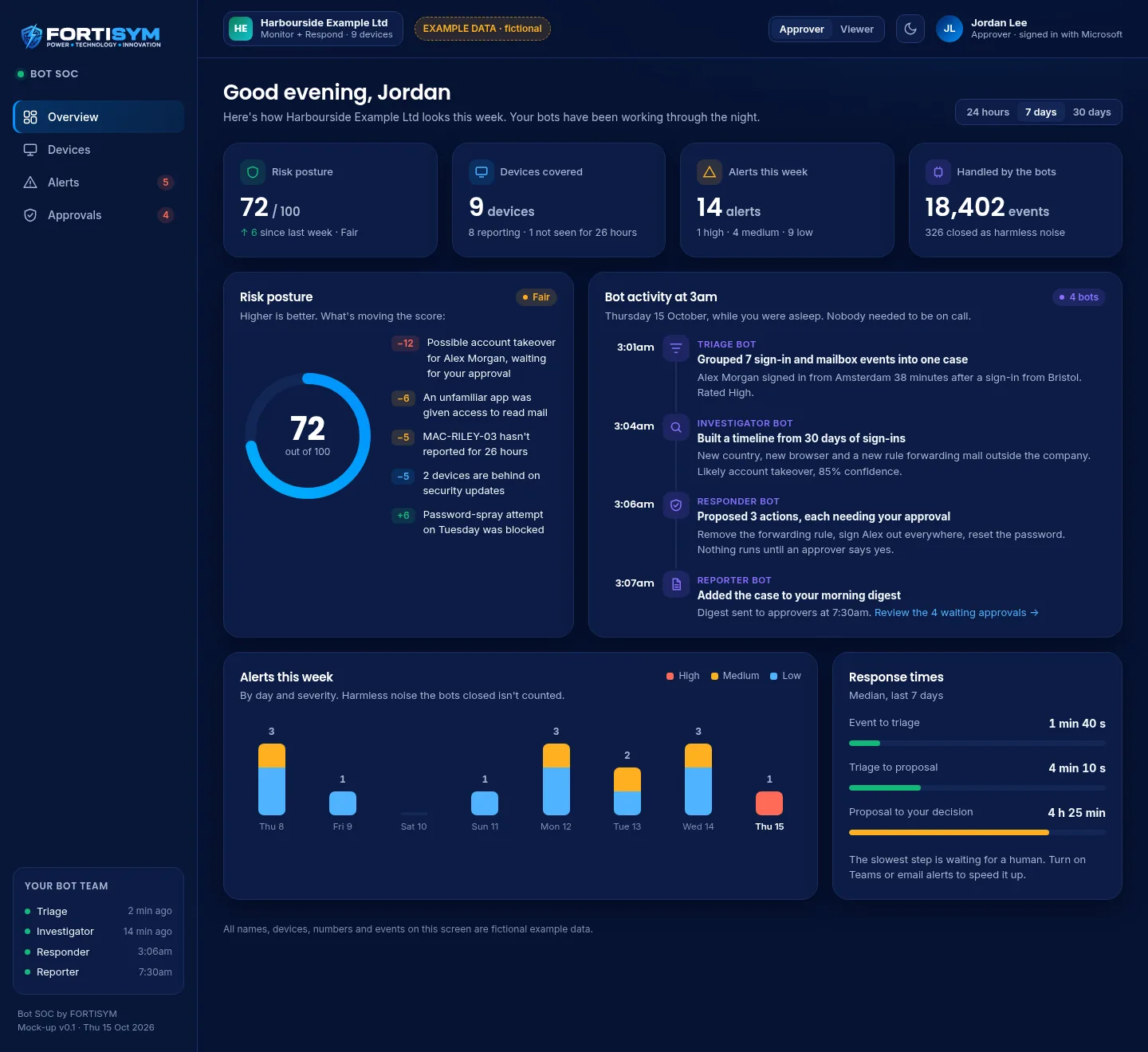
The overview, including the "bot activity at 3am" timeline.
 (opens full-size image in a new tab)
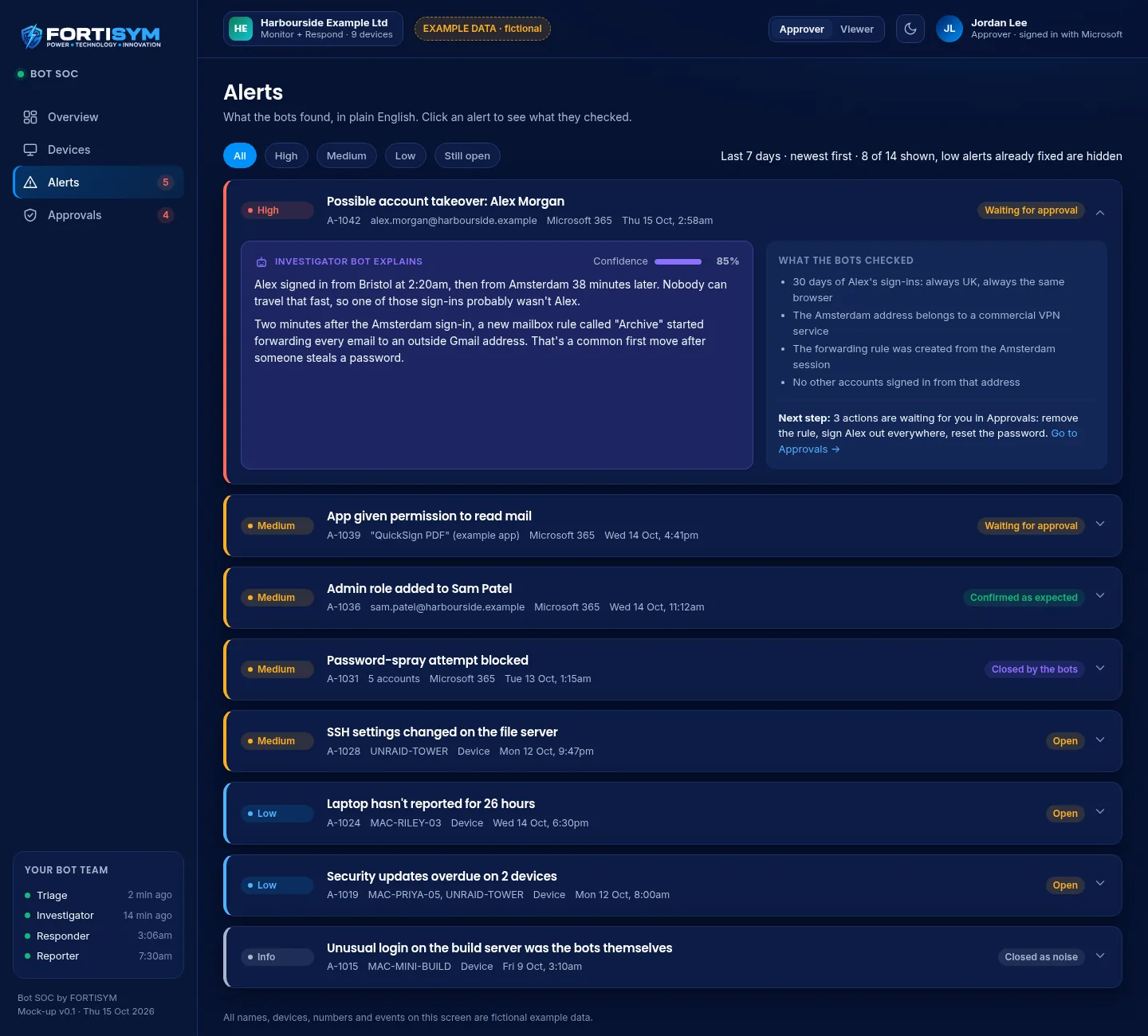
Alerts in plain English, with what the bots checked and how confident they are.
 (opens full-size image in a new tab)
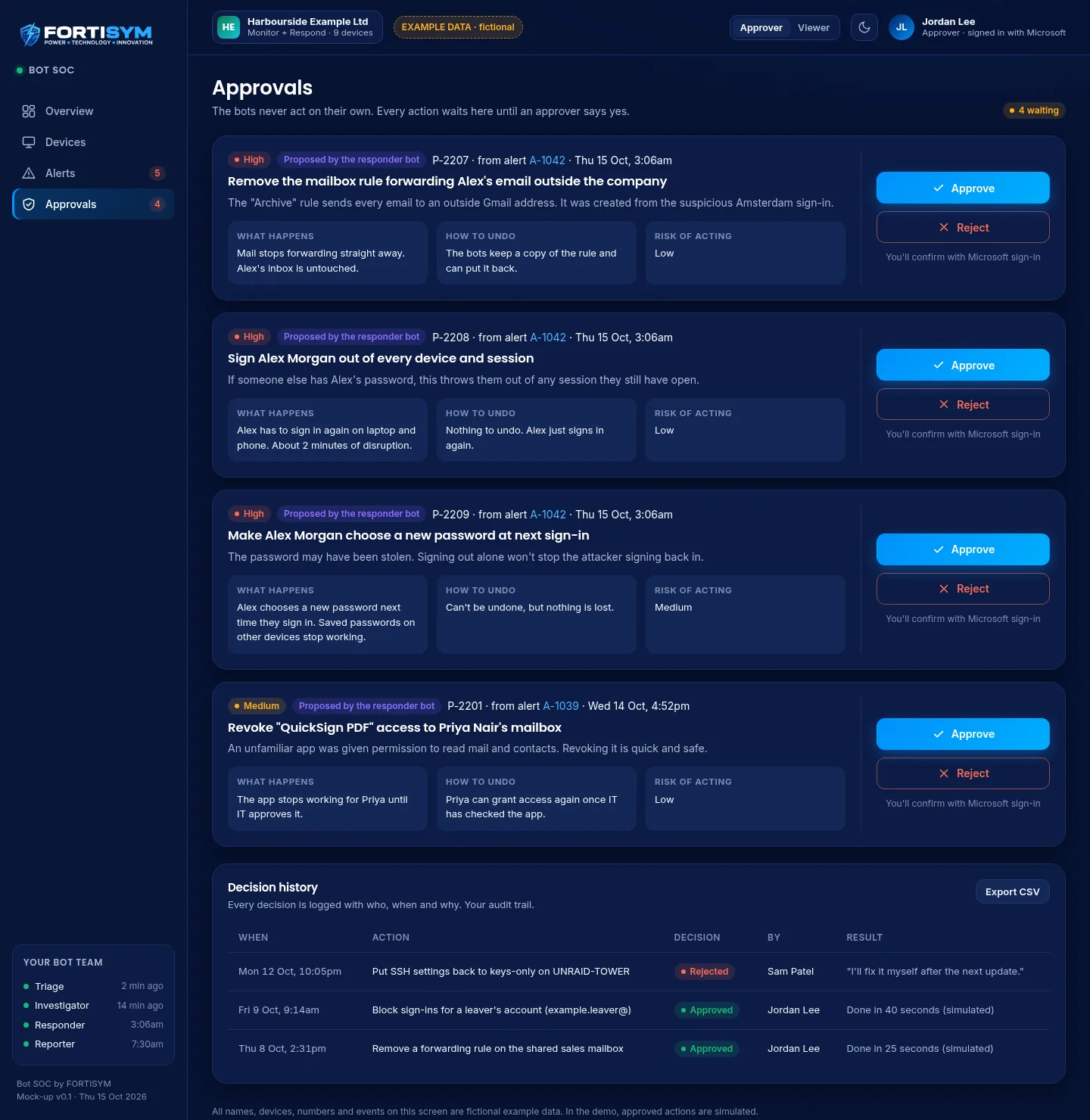
Every proposed action shows what happens, how to undo it and the risk, then waits for an approver.
 (opens full-size image in a new tab)
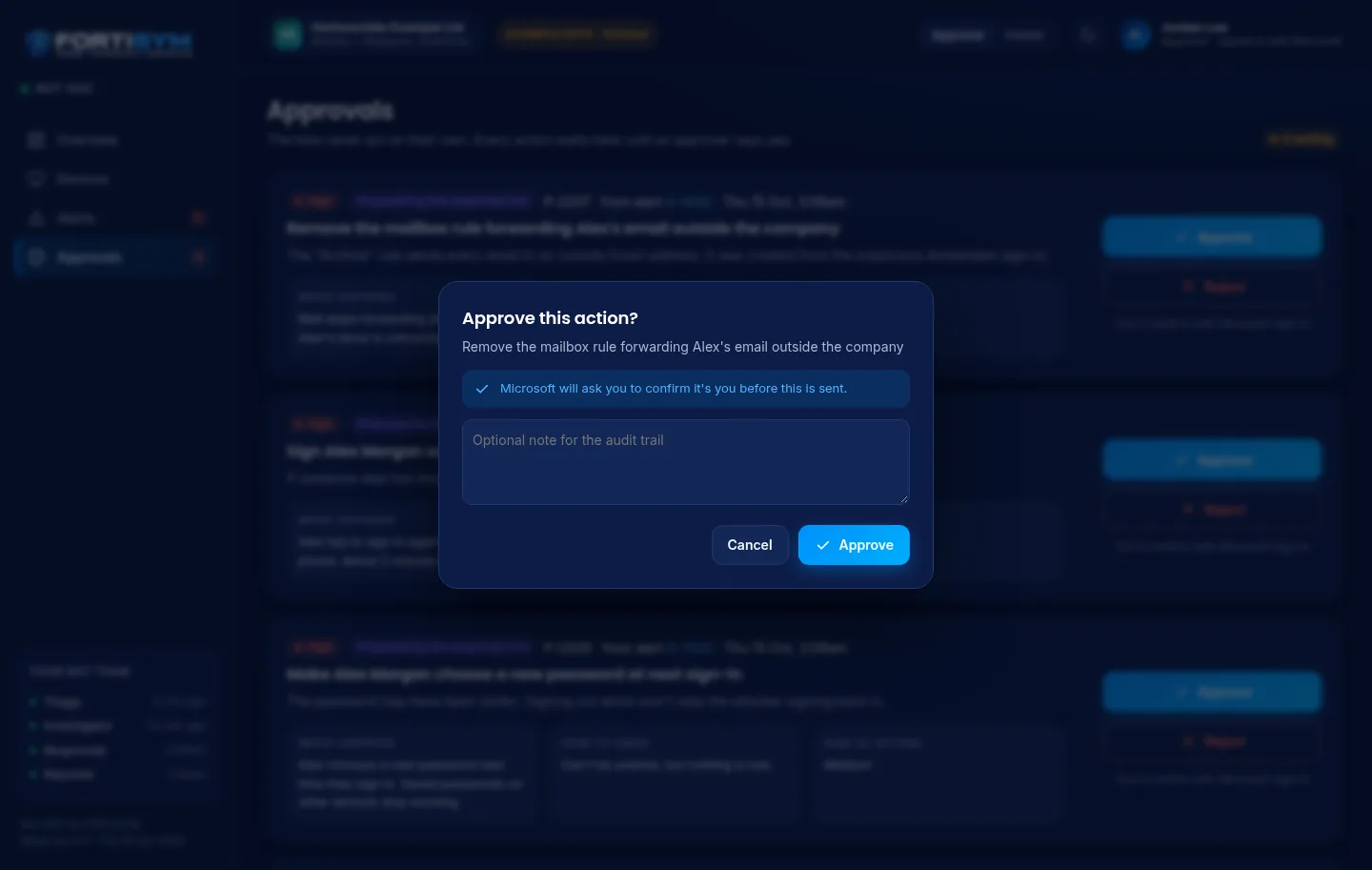
Approving asks you to confirm it's you, and lets you add a note for the audit trail.
 (opens full-size image in a new tab)
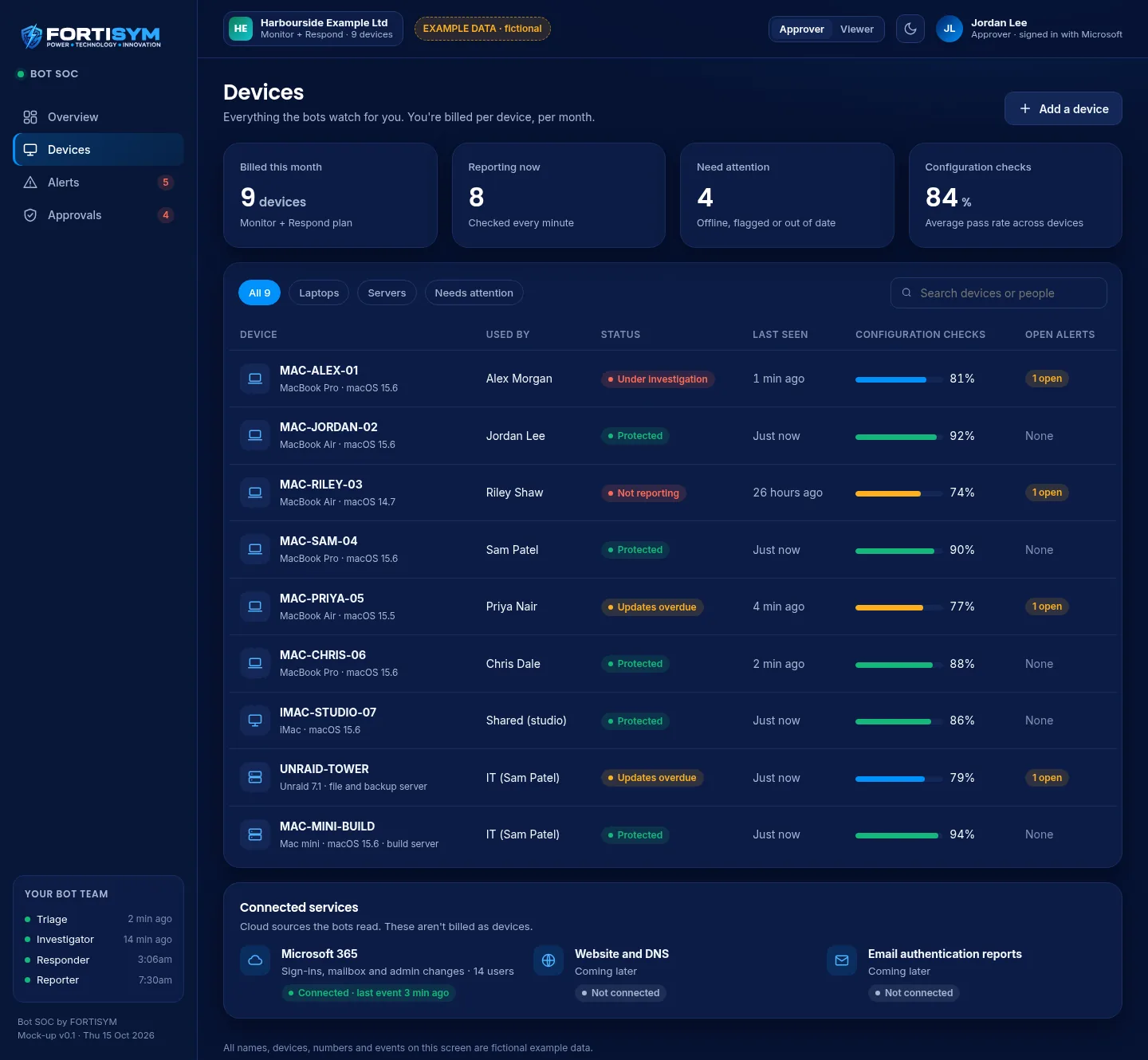
Devices covered, when each last reported and any open alerts.
These screens are from a design mock-up. All names, devices, numbers and events are fictional example data.
How we run it
FORTISYM runs the Bot SOC for you. We connect your Microsoft 365, tune out the noise with you and agree who in your organisation approves actions.
Once it has proven itself and has connectors for the tools you already use, your own team will be able to run it.
Hosted in the UK. An EU region follows for EU customers, with their data kept in that region. Each customer's data is kept separate from every other customer's.
Pricing
A simple monthly price for each device we protect, so the cost grows with you. We'll agree with you what counts as a device.
The bots watch, triage, investigate and report. You get alerts and the portal.
Contact us
Everything in Monitor, plus proposed actions that run once an approver says yes.
Contact us
A licence for organisations that want to run the Bot SOC themselves.
Contact us
Plans and what's included may change during early access.
Questions
No. Today every action needs an approver to say yes, and the approval is logged with who, when and why. Any move towards more automatic responses would only happen with your agreement.
The Bot SOC is in early access. We're running it on FORTISYM's own Microsoft 365 first and are happy to show you a demo. Book one and we'll talk you through where it's up to.
Read-only access to your audit data, which your Microsoft 365 administrator approves. It doesn't ask for permission to read email content or change settings.
In the UK. An EU region is planned for EU customers. Your data is kept separate from other customers' data.
A short demo, using example data, from the first alert to the approved action and the morning write-up.
Book a demoor email [email protected]